What Is Apkek Org and Should You Use It?
Finding apps outside the Google Play Store can feel like walking through a digital minefield. One wrong download and you could end up with malware, stolen data, or a phone that barely works.
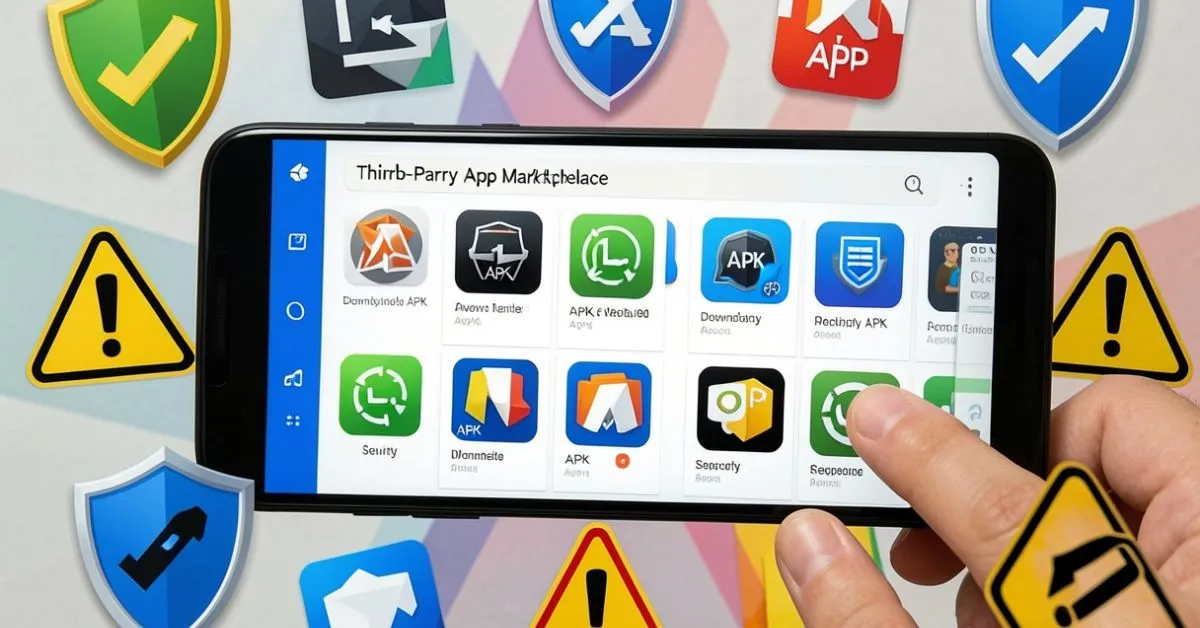
Apkek org is one of many third-party platforms that offer APK files for Android devices. People search for it when they want apps that aren’t available in their region, older versions of apps, or modified applications.
But here’s the real question: Is it worth the risk?
In this guide, you’ll learn exactly what apkek org offers, how to spot red flags, what risks come with third-party APK sites, and which alternatives actually prioritize your safety.
Introduction
Apkek org is a third-party website that provides APK files for Android applications. APK stands for Android Package Kit—the file format Android uses to install apps. While these platforms offer access to apps outside official stores, they come with security risks including potential malware, outdated software, and no official verification process.
Quick Summary
- Apkek org hosts APK files for Android apps outside the Google Play Store
- Third-party APK sites carry risks like malware, data theft, and legal issues
- Safer alternatives include APKMirror, F-Droid, and official developer websites
- Always verify file integrity and use antivirus scanning before installation
- Understanding these platforms helps you make informed download decisions
Understanding APK Files and Third-Party Platforms
Before diving into apkek org specifically, let’s clear up what APK files actually are.
When you download an app from Google Play, you’re getting an APK file. The difference is Google has reviewed it, scanned it for threats, and verified the developer.
Third-party sites skip this process entirely.
These platforms collect APK files from various sources. Some extract them directly from devices. Others pull them from different app stores around the world. A few get them from developers who want alternative distribution channels.
The appeal is simple: access to apps you can’t get otherwise.
Maybe an app isn’t available in your country. Maybe you need an older version because the new update ruined features you loved. Maybe you want a modified version with extra functionality.
That’s where platforms like apkek org come in.
What Apkek Org Actually Offers
Based on user reports and site analysis, apkek org functions as an APK repository. The platform typically includes:
App Categories:
Games, social media apps, productivity tools, multimedia applications, and utility software.
Version Archives:
Access to older versions of applications, which can be useful when recent updates cause problems.
Regional Apps:
Applications that may be restricted or unavailable in certain geographic locations.
Modified APKs:
Some third-party sites offer modified versions with unlocked features or removed restrictions.
The interface on these sites usually includes a search function, category browsing, and basic app information like version number, file size, and release date.
But here’s what matters more than features: the source and verification of these files.
The Real Safety Picture
Let’s be direct about safety because this is where most articles dance around the truth.
Apkek org and similar platforms are not officially verified by Google or app developers. That means every download carries inherent risk.
Here’s what that risk looks like in practice:
Malware and Trojan Threats
Security researchers consistently find malicious code in APK files from third-party sources. A 2023 study by mobile security firm Zimperium found that 47% of Android malware came from third-party app stores.
These infected files can steal passwords, track your location, access your camera, or turn your device into part of a botnet.
Outdated Security Patches
Apps on official stores receive regular security updates. Third-party APKs often don’t get these patches, leaving known vulnerabilities open.
For example, an older version of a banking app might have a security flaw that hackers already know how to exploit.
Data Collection Concerns
Modified APKs sometimes include additional code that collects user data beyond what the original app requested. This information can be sold to data brokers or used for targeted attacks.
No Developer Support
When you download from unofficial sources, you typically lose access to official support channels. If something goes wrong, you’re on your own.
Legal Gray Areas
Downloading certain apps from third-party sources may violate terms of service or copyright laws. Paid apps offered for free are particularly problematic.
Does this mean every file on apkek org is dangerous?
No. But it means you’re taking a chance every single time, and the consequences of getting it wrong can be severe.
How to Evaluate Any APK Download Site
If you’re determined to use third-party APK sources, here’s how to minimize risk:
Check Community Reputation:
Look for independent reviews on tech forums like Reddit’s r/Android or XDA Developers. Be skeptical of reviews on the site itself.
Verify File Hashes:
Legitimate sites provide SHA-256 checksums that let you verify file integrity. Compare these against known good sources when possible.
Scan Every File:
Use VirusTotal or a reputable mobile antivirus before installation. This catches many (though not all) threats.
Review Permissions:
When installing, check what permissions the app requests. A flashlight app shouldn’t need access to your contacts.
Test in Isolation First:
If possible, test downloads on a secondary device or in a sandboxed environment before using them on your primary phone.
Check Update Frequency:
Sites that regularly update their APK files to match official releases show more attention to maintenance.
Look for HTTPS:
At minimum, the download site should use encrypted connections. Non-HTTPS sites are immediate red flags.
These steps reduce risk but don’t eliminate it. Think of them as seatbelts—helpful, but not invincible.
Better Alternatives to Consider
You don’t have to choose between accessibility and security. These alternatives offer better safety while still providing access to apps:
APKMirror
Run by the Android Police team, APKMirror verifies uploads and only accepts APKs from legitimate sources. They use cryptographic signature verification to ensure files match official releases.
They don’t host modified apps or cracked software, which reduces risk significantly. The site is free and supported by ads.
Best for: Older versions of official apps, beta releases, and region-locked apps.
F-Droid
F-Droid is an open-source app repository that builds apps from source code, adding an extra layer of verification. Every app is free and open-source.
The selection is smaller than commercial app stores, but everything is checked against a strict set of anti-feature criteria.
Best for: Privacy-focused users, open-source advocates, and those who want transparent app review.
Aurora Store
This open-source client lets you access Google Play Store apps without a Google account. It uses anonymous accounts or lets you use your own.
You get the same apps as the Play Store with more privacy and the ability to download older versions.
Best for: Privacy-conscious users who want official apps without Google tracking.
Official Developer Websites
Many developers offer direct APK downloads from their own websites. This is common for apps like Fortnite, which left the Play Store over payment disputes.
Downloading directly from developers eliminates the middleman and associated risks.
Best for: Specific apps that offer official alternative distribution.
Regional Play Store Access via VPN
Sometimes you don’t need third-party sites at all. A reputable VPN can give you access to apps restricted in your region directly through the Play Store.
Best for: Accessing region-locked content while maintaining Google’s security verification.
| Platform | Safety Level | App Selection | Cost | Best Use Case |
|---|---|---|---|---|
| APKMirror | High | Large | Free | Official app versions |
| F-Droid | Very High | Medium | Free | Open-source apps |
| Aurora Store | High | Very Large | Free | Play Store access with privacy |
| Developer Sites | Very High | Limited | Varies | Specific trusted apps |
| Apkek Org | Low to Medium | Large | Free | Not recommended |
What About Legal Considerations?
Using third-party APK sites exists in a complicated legal space.
- Downloading free apps: Generally legal if the app itself is legitimately free, though you may violate the app’s terms of service.
- Downloading paid apps for free: This is software piracy and illegal in the US, UK, and Canada. It also exposes you to higher malware risk since these files are often intentionally modified.
- Modified apps: Legal status depends on the modification and the original app’s license. Many violate copyright or terms of service.
- Regional restrictions: Bypassing geographic restrictions may violate terms of service but typically isn’t illegal. However, using the app in restricted regions might be.
In the United States, the Digital Millennium Copyright Act (DMCA) protects software from unauthorized distribution. Downloading pirated apps can theoretically result in civil penalties, though individual users are rarely targeted.
The bigger risk is what comes with the download: malware, data theft, and compromised device security.
How to Use Third-Party APKs More Safely
If you decide to use apkek org or similar platforms despite the risks, follow these practices:
Create a Separate Google Account:
Don’t use your main account on devices with third-party APKs. This limits potential damage if credentials are stolen.
Enable Play Protect:
While not perfect, Google Play Protect scans apps even when sideloaded. Keep it enabled.
Use a VPN:
A quality VPN encrypts your connection when downloading files, adding privacy and security.
Keep Your System Updated:
Always run the latest Android version your device supports. Security patches matter.
Monitor App Behavior:
Watch for unusual battery drain, data usage, or background activity after installation. These can indicate malicious code.
Back Up Regularly:
Before installing third-party APKs, back up your device. Cloud backup or local backup both work.
Avoid Banking Apps from Third Parties:
Never download financial apps, authentication apps, or password managers from unofficial sources. The risk is too high.
Read Comments and Reviews:
If the site has user comments, read them. Look for reports of malware, crashes, or suspicious behavior.
Remember: These precautions reduce risk but cannot eliminate it. The safest approach is using official sources whenever possible.
When Third-Party APKs Make Sense
Despite the risks, there are legitimate scenarios where third-party APK sources serve a purpose:
App Development and Testing:
Developers often need specific app versions to test compatibility or reproduce bugs.
Preserving Discontinued Apps:
Sometimes developers pull apps from stores, but users still need access for legacy systems or nostalgia.
Academic Research:
Security researchers and academic institutions study apps from various sources to understand mobile threats.
Accessibility in Restricted Regions:
Users in countries with limited Play Store access may have few alternatives.
Downgrading After Problematic Updates:
When an update breaks functionality users depend on, older versions can be necessary until fixes arrive.
These situations call for extra caution and technical knowledge. If you’re not comfortable assessing APK safety, seek expert help or stick with official channels.
The Future of Android App Distribution
Google has been tightening security around sideloading while facing pressure to open up app distribution.
Recent developments include:
Digital Markets Act (Europe):
Forcing major platforms to allow alternative app stores, which may increase third-party distribution options.
Google Play System Updates:
Separating security updates from OS updates, making devices safer even when manufacturers don’t provide timely patches.
Enhanced Play Protect:
Improved malware detection that works in real-time, even for sideloaded apps.
Developer Verification Programs:
Making it easier to verify which APKs truly come from legitimate developers.
These changes may make third-party distribution safer over time, but we’re not there yet.
For now, approaching sites like apkek org with healthy skepticism and strong security practices remains essential.
Conclusion
Apkek org represents a common type of third-party APK platform—convenient access with serious security trade-offs.
The core truth is simple: convenience doesn’t outweigh safety when it comes to what you install on your device.
Official channels exist for good reasons. They’re not perfect, but they provide verification layers that third-party sites simply can’t match.
When you do need apps outside official stores, choose reputable alternatives with established security practices. APKMirror, F-Droid, and Aurora Store offer better protection while still giving you access to apps beyond the Play Store.
Your device holds your communications, financial information, personal photos, and digital identity. Protecting it means being selective about what you install and where it comes from.
Before downloading from any third-party source, ask yourself: Is this app worth the risk? Is there a safer alternative? Do I have the technical knowledge to verify what I’m installing?
Honest answers to these questions will guide you toward safer decisions.
Ready to improve your tech knowledge? Explore more practical guides on WriteXBlog where we break down complex technology topics into clear, actionable information you can actually use.
Frequently Asked Questions
Is apkek org safe to download apps from?
Apkek org and similar third-party APK sites carry significant security risks including potential malware, data theft, and outdated software without official verification. There’s no consistent quality control or security screening like official app stores. You’re better off using verified alternatives like APKMirror or F-Droid.
What’s the difference between apkek org and the Google Play Store?
Google Play Store verifies developers, scans apps for malware, and provides automatic security updates. Apkek org offers APK files without official verification or developer authentication, making each download a potential risk. Play Store apps also receive ongoing support directly from developers.
Can I get viruses from downloading APKs from apkek org?
Yes, downloading APKs from unverified sources can expose your device to malware, trojans, and spyware. Security research shows third-party APK sites are common malware distribution channels. Always scan files with VirusTotal before installation and avoid modified or cracked apps.
Are there legal consequences for using apkek org?
Downloading free apps typically isn’t illegal, though it may violate terms of service. However, downloading paid apps for free is software piracy and illegal under copyright laws in the US, UK, and Canada. The bigger immediate risk is security—stolen data and compromised devices.
What are the safest alternatives to apkek org?
APKMirror offers verified official app versions with cryptographic checking. F-Droid provides open-source apps with transparent review. Aurora Store gives Play Store access without Google tracking. For specific apps, downloading directly from developer websites offers the highest security.
How can I tell if an APK file is safe before installing it?
Upload the APK to VirusTotal for multi-engine scanning, verify the SHA-256 checksum against known sources, and check app permissions during installation. Research the app on forums like XDA Developers, and test unfamiliar APKs on secondary devices when possible.
About the Author